
“Can you write up what happened last night?”
Every hotel manager has asked it — for ownership, for a regional director, for an internal review, or for a guest who wants something in writing. The honest answer is usually a reconstruction: a few emails, a chat thread, and the memory of whoever was on shift.
The report is built from the case record your team has already created while handling the issue. It pulls together the intake, the owner, what the guest was promised and when they were updated, what was offered and who approved it, how the case was closed, and every status change along the way — with timestamps in the hotel’s local time.
Printed from the browser. Use Print for paper, or your browser’s Save as PDF for a digital copy. Each print is recorded in the case’s audit log.
Ten sections, then the guest’s page.
Sections appear when the case holds the information — an open case prints without a closure section; a restricted case prints with a confidential banner.

- 01
Incident identification
Case number, hotel, date and time logged, room, guest, reservation, case type and category, severity, current status (and reopen count), who logged it, owner and responsible department.
- 02
Confidential & escalation banners
Restricted cases are marked “Confidential — Restricted Case”; escalated cases show the escalation and its reason.
- 03
Description of the incident
What happened, in the words recorded at intake.
- 04
Intake details
Related departments, immediate action taken, and the guest’s expectation.
- 05
Case plan
Next action, next guest update promised by, target completion, and when the guest was last updated.
- 06
Follow-ups & guest communications
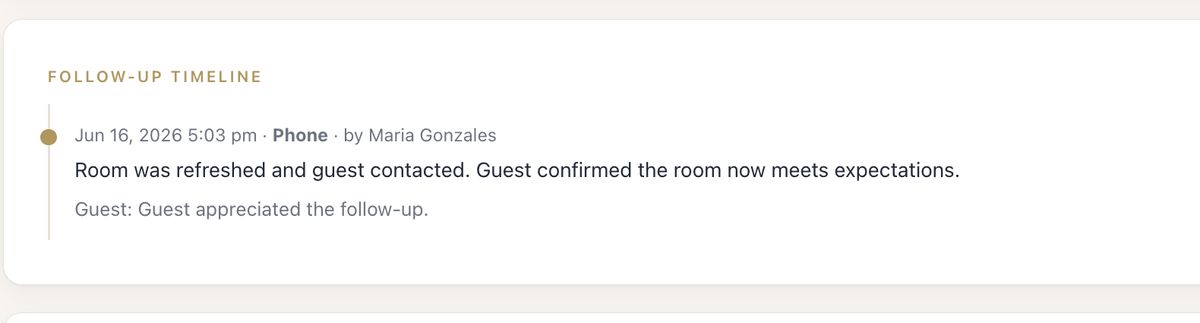
Each follow-up with time, method, who performed it, summary, guest response, department contacted and next step.
- 07
Compensation / service recovery
Type, reason, amount, approval status, whether the guest accepted, and who recorded it when.
- 08
Resolution & closure
Closing summary, final resolution, guest satisfaction and closing time.
- 09
Case activity & status history
The chronology: every assignment, commitment, escalation, restriction, compensation decision and status change, with who and when.
- 10
Staff signatures
Prepared by, and manager on duty — name and signature lines.
The guest gets their own page.
The report ends with a separate page for the guest: an invitation to describe what happened in their own words, lined space to write, and their printed name, signature and date.
If your team recorded a statement with the guest inside MyHotelCare, it is printed on that page with space for additional comments. The page notes that the account is voluntary and attached to the hotel’s record for the case.

The report is only as good as the case — so the case is built to be complete.
- At intake
Immediate action & guest expectation
Captured at the desk, while the details are still clear.
- While handling
Case plan & follow-ups
Owners record commitments and every guest contact as it happens.
- At close
Summary, resolution, satisfaction
A manager closes the case with the account that belongs on file.
Incident Report questions
Is the Incident Report a separate form someone has to fill in?
No. It is assembled from the case itself — intake details, case plan, follow-ups, compensation, resolution, activity and status history — so it reflects what the team recorded while handling the issue.
Is it a PDF?
The report opens as a print-ready page in the browser. Print it, or use the browser’s “Save as PDF” option to keep a digital copy.
Who can print it?
Anyone who can see the case. Restricted cases stay restricted: their reports are marked confidential and are only available to the people allowed to view the case.
What is the Guest’s Version of the Incident?
A separate page in the report where the guest can write their own account and sign and date it. If your team recorded a statement with the guest in MyHotelCare, it is printed there with space for additional comments.
Does MyHotelCare decide what goes into an insurance claim or legal file?
No. The report organizes what your team documented. What you file, share or submit — and to whom — remains your hotel’s decision under your own policies and advice.
The write-up, already written.
In a demo we open a sample case and print its Incident Report, so you can judge it against the reports your hotel writes today.