Editable hotel service recovery workbook
Excel sheets for the guest complaint log, service recovery checklist, shift handoff and compensation log. Free, no sign-up.
Keep offers and approvals together
Guest recovery often includes a late check-out, a food and beverage credit, points, an amenity, a fee adjustment or a partial refund. What matters is not only what was offered, but why, by whom, and whether it happened.
| Date / time | Guest / room | Related issue | Type | Amount or offer details | Approved by | Notes | Status |
|---|---|---|---|---|---|---|---|
| 06/18 10:45 PM | Room 812 | Noise | Late check-out | 12:00 PM | MOD | After hallway noise complaint. | Recorded |
| 06/19 8:20 AM | Room 405 | AC issue | F&B credit | $35 | Front desk manager | Guest notified after engineer visit. | Approved |
| 06/19 11:10 AM | Room 1102 | Housekeeping delay | Amenity | Wine amenity | Operations manager | Sent after room delay. | Completed |
What a compensation log helps you check
Record approval and delivery separately. An approved offer may still need to be provided to the guest.
Conflicting offers
Staff can see what has already been offered for the same issue.
Unclear approvals
Managers can see who approved it and the context behind the decision.
Disconnected history
The compensation stays tied to the guest issue that caused it.
Connect compensation to the case
A standalone log is useful. Compensation is easier to review when it sits with the complaint, owner, follow-ups and activity history. In MyHotelCare:
- Compensation is recorded on the case with type, value, reason, and whether it was offered and accepted.
- Recommendations from staff wait for a manager to approve or deny them.
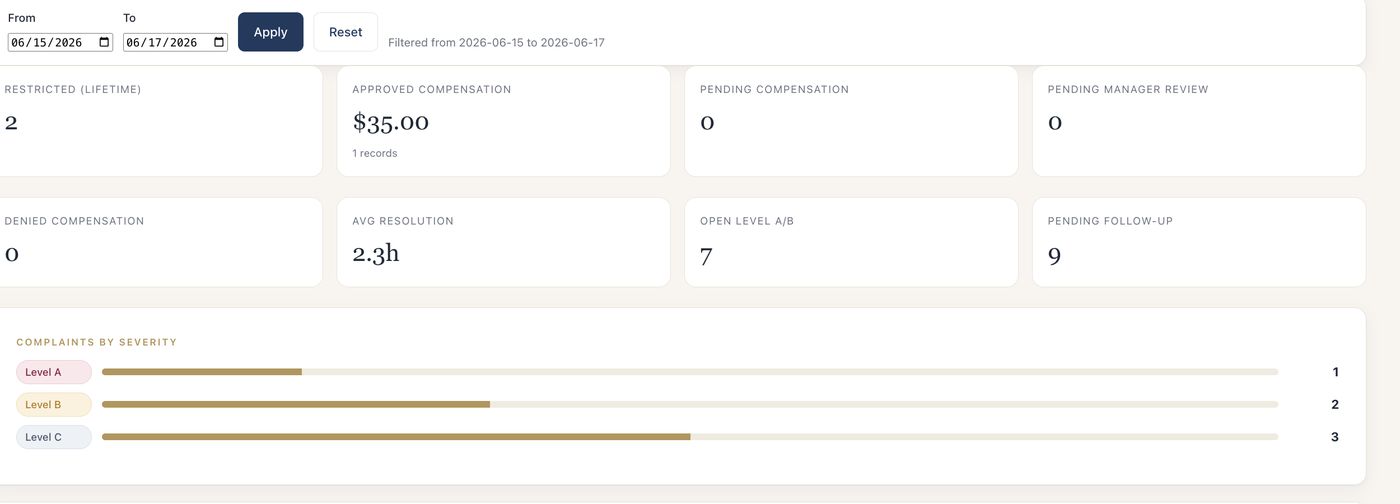
- Reports show approved, pending and denied compensation for any date range, with CSV export.
Your hotel decides what compensation to offer. The log — and MyHotelCare — keeps a record of that decision for the team to review.