Follow a guest issue from the first report to manager review.
A guest reports a problem. The front desk records it, assigns the next action and sets a time to update the guest. Here’s how the team keeps the case moving in MyHotelCare.
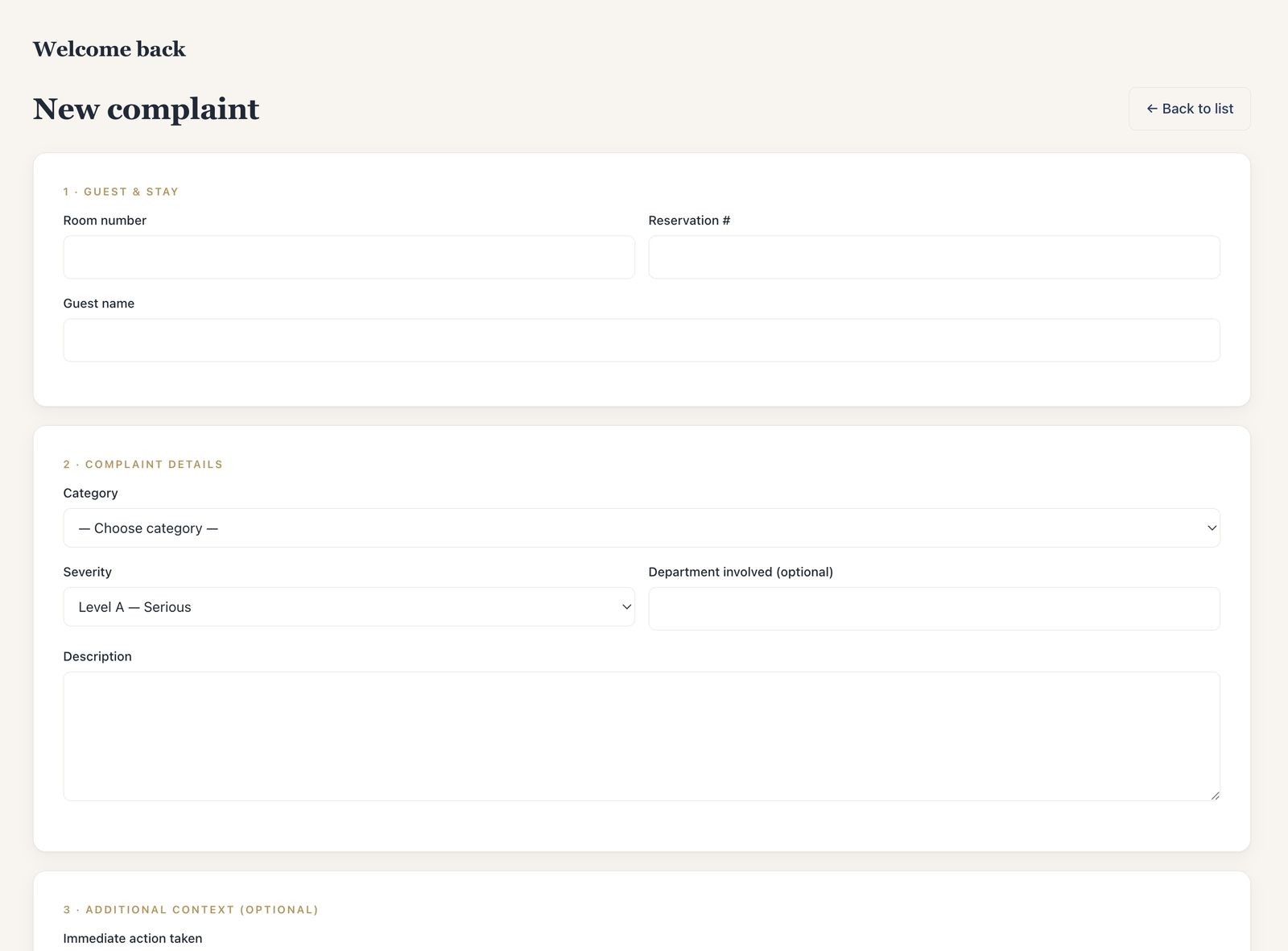
Guest & stay — room number, reservation number and guest name.
Case details — category and case type from your hotel’s list, severity (Level A serious, B moderate, C standard), department involved, and what happened.
Context — immediate action already taken and what the guest expects.
Recorded by — on a shared front-desk account, the team member is chosen on each entry.
Unsure what type it is? “Not sure — needs review” puts the case in front of a manager to classify, instead of stopping the desk.
The case plan sets the responsible team and person, and the next action. Common actions are one click: inspect and assess, contact the guest, send housekeeping, send engineering or maintenance, move or re-accommodate the guest, review billing, contact security, await a vendor, or management decision needed.
The person assigned receives an email with a link to the case.
Any role can escalate an open case to management, with a reason; managers are notified.
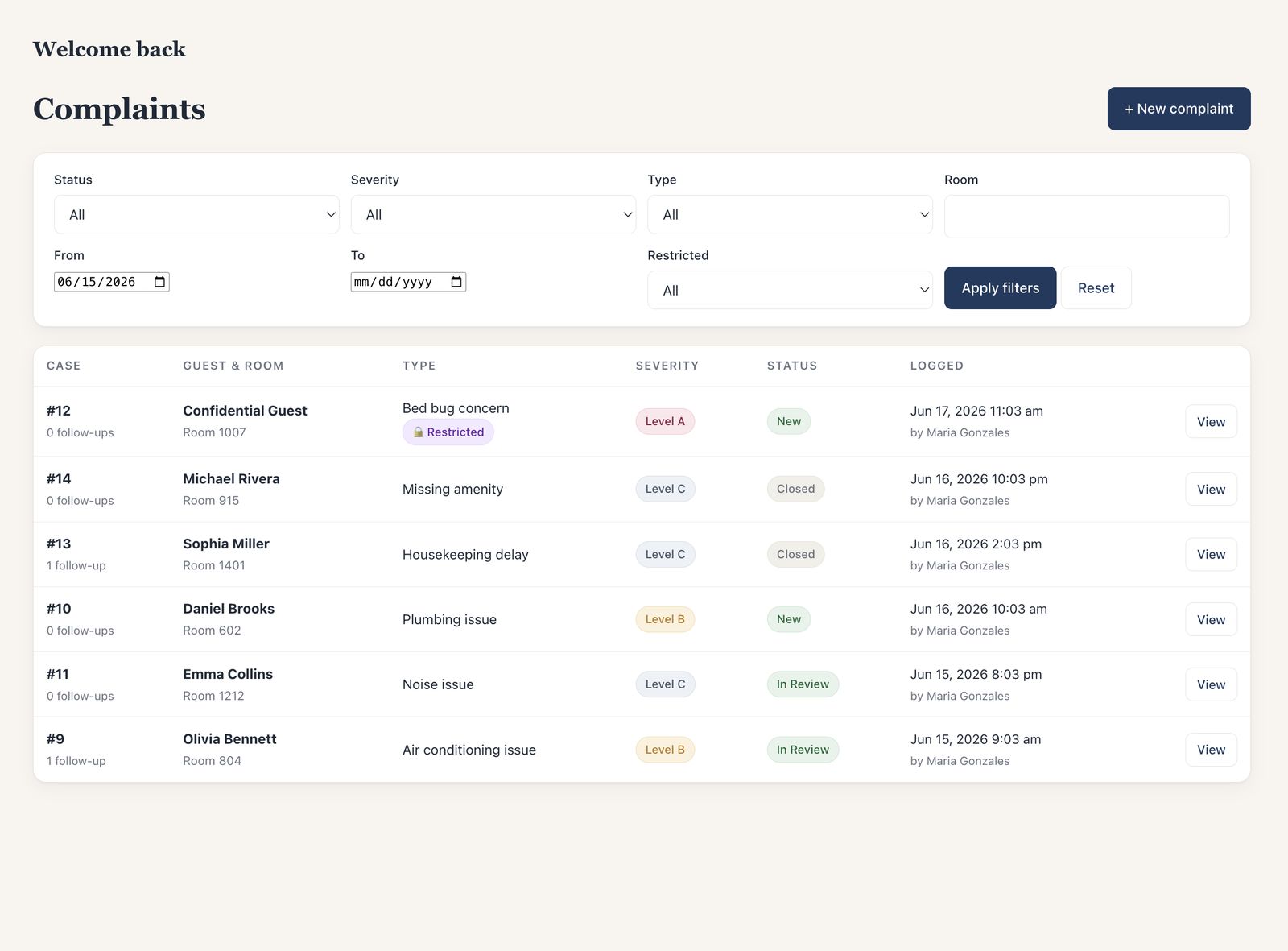
Fig. 2The case list: filter by status, severity, type, room, dates and restricted access.
Step 03Follow-upOwner
Keep the guest updated.
Record two times on the case: when the guest will next be updated (morning, afternoon, evening, overnight, or an exact time) and a target completion for the internal work. Both are kept in the hotel’s local time.
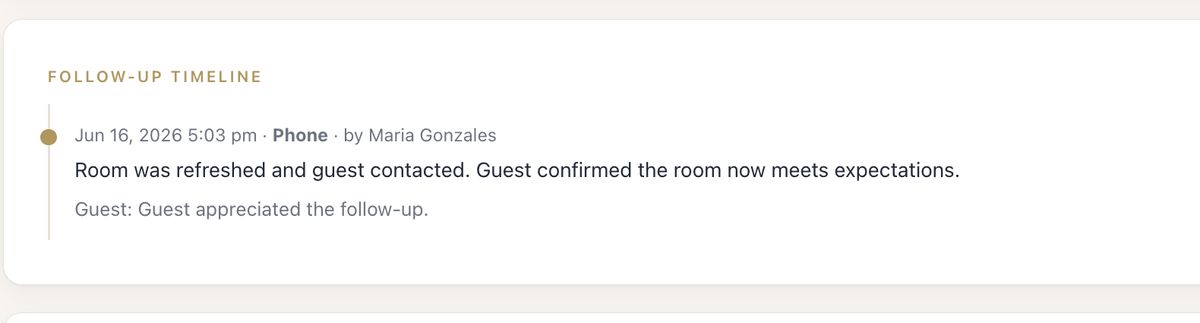
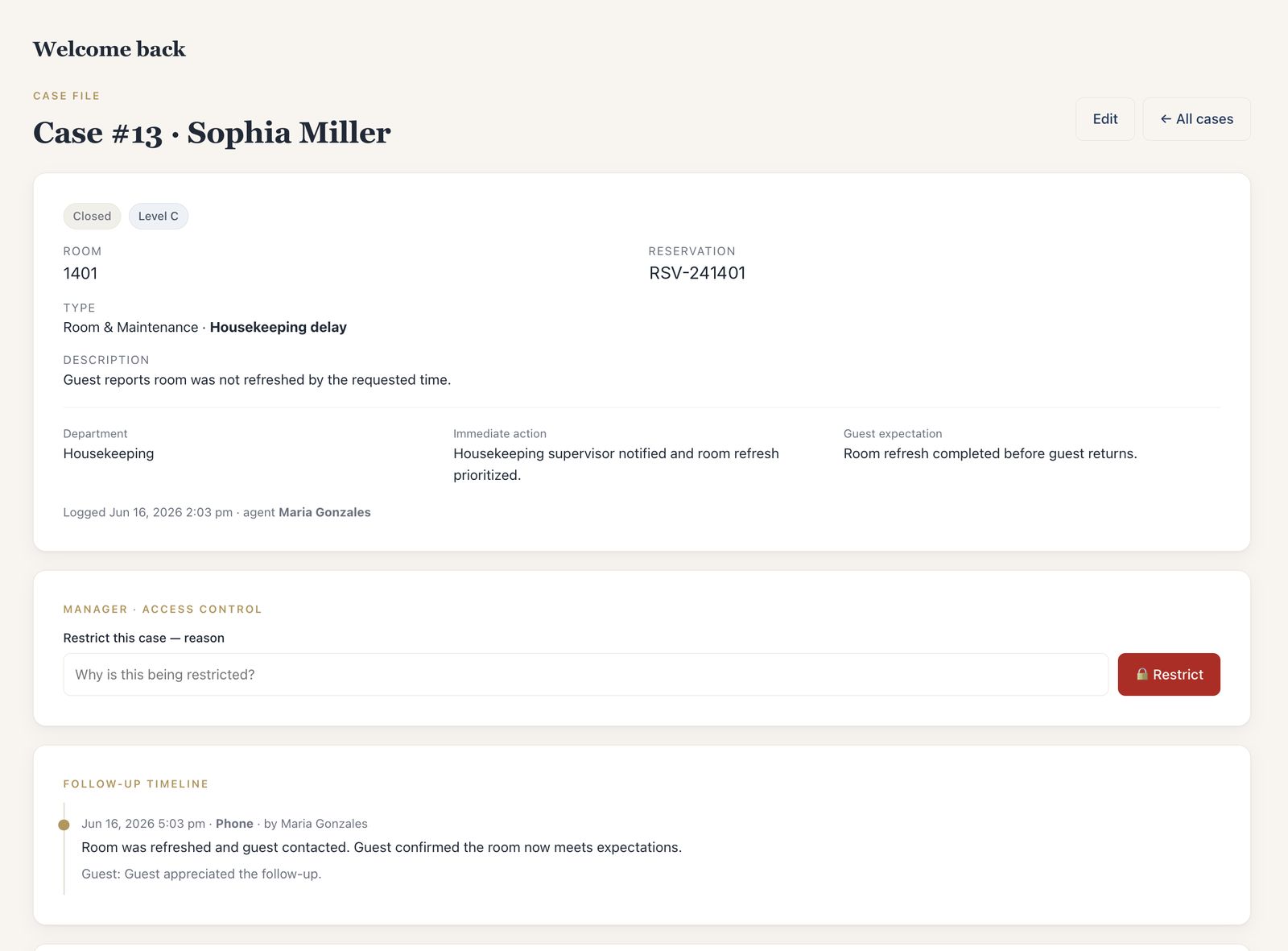
Recording a contact method does not send a message to the guest. Each follow-up records the method — in person, phone, email, text or internal note — a summary, the guest’s response and the next step.
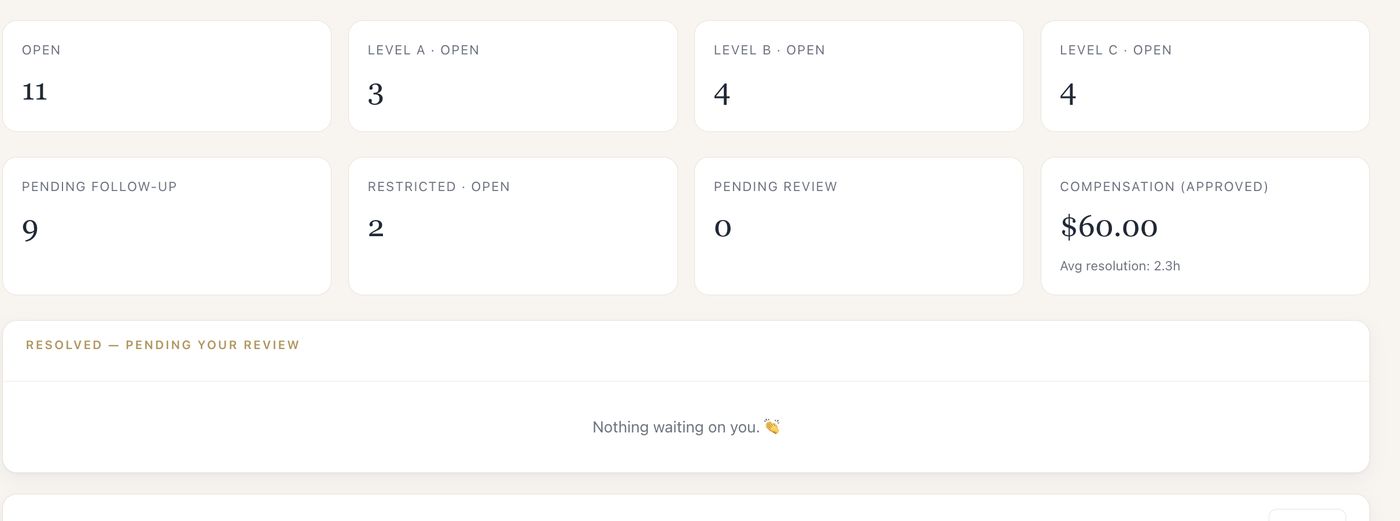
Missed guest updates show as overdue to managers, and reminder emails go out for cases still waiting.
Compensation is logged against the case with its type (late check-out, credit, amenity, refund — whatever your hotel uses), value, reason, whether it was offered, and whether the guest accepted.
Staff can recommend compensation; it stays pending until a manager approves or denies it.
When the work is done, the owner marks the case resolved — pending manager review, with a note for the manager.
Managers close the case with a closing summary, final resolution and whether the guest was satisfied. If more work is needed, the case is reopened with a reason and the count of reopenings stays on the record.
Every status change is kept in the status history; recorded case activity in the audit log.
Any case can be opened as a formal, print-ready Incident Report built from everything recorded above — including a separate Guest’s Version of the Incident page for the guest’s own account and signature. Print it, or save it as a PDF from the browser. You can also create a report while a case is open; it reflects the information recorded so far.
Log cases, set the owner and the promised guest update on open cases, add follow-ups and escalate. A restricted case they log is routed to management with a neutral confirmation.
Supervisor
Own and resolve
Take ownership, update the case plan, record follow-ups and compensation recommendations, and mark cases resolved. Restricted cases only with permission.
Manager
Approve, review, configure
Approve compensation, restrict and close cases, review reports and the audit log, manage users, and configure case types, departments and notification recipients.
Prefer to watch?
The same product, in motion, in about 85 seconds.
FilmThe real product, recorded with sample data: overview, intake, case list, restricted cases, follow-up and reporting. Captions follow the on-screen text.
SetupBefore the first case
Set up the options your team uses.
Each property starts from a standard hotel template — departments such as Front Desk, Housekeeping, Engineering, Security and Food & Beverage, and case types grouped into categories like Room & Maintenance, Billing, Service & Staff, Food & Beverage and Security & Sensitive Issues. Managers rename, hide and add to them.
We’ll walk through a sample guest issue, show what your team and managers can do, and answer your questions. The demo takes about 30 minutes, and you don’t need to share guest information.