How MyHotelCare controls access to guest records.
Guest issues can contain sensitive information. Here’s how roles, restricted cases, sign-in controls and activity records help your hotel manage access.
Access depends on the person’s role and the case.
Front-desk staff, supervisors and managers have different permissions. The application checks those permissions each time someone requests access to a case or tries to change it.
- Roles
Front desk, supervisor, manager
Each role has defined abilities — for example, only managers approve compensation, restrict cases, close or reopen cases, and change closed cases.
- Restricted cases
Need-to-know by default
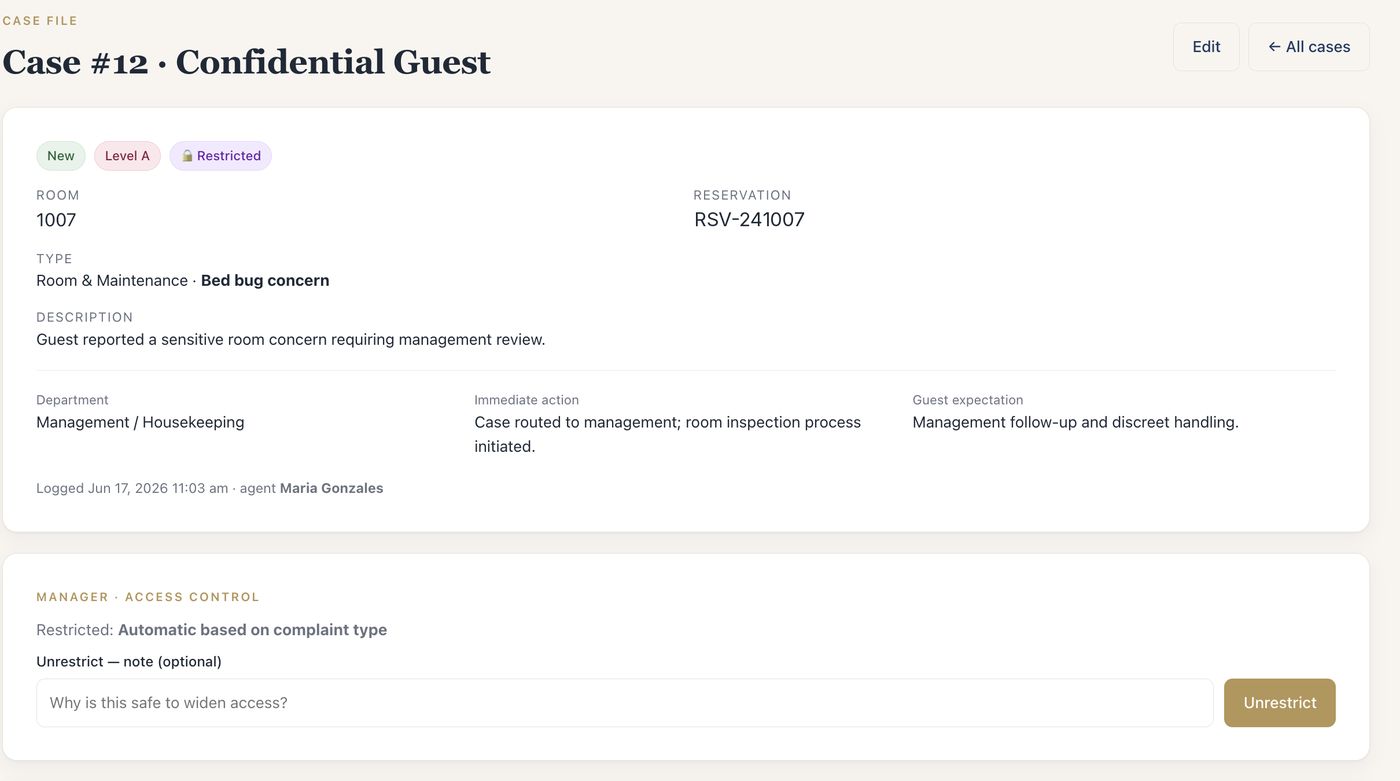
Sensitive case types can be restricted automatically, and managers can restrict any case with a recorded reason. Restricted cases are visible to managers, and to supervisors only when granted permission.
- At the desk
Neutral confirmation
A front-desk user who logs a restricted case receives a confirmation that it was routed to management, without access to the case.
- Notifications
Minimal detail in email
Emails about restricted cases are marked confidential and leave guest details out.
- Reports
Reports follow the same access rules as cases
Only people who can see a case can print its Incident Report. Report pages are sent with no-store caching headers, and each print is logged.
Separate property workspaces and controlled sign-in.
- Tenant separation
Records stay within your property’s workspace
Each hotel resolves to its own address, and data access is scoped to that property on the server. A signed-in session that doesn’t match the property is signed out.
- Passwords
Modern hashing
Passwords are hashed with Argon2id where available, otherwise bcrypt. Password resets use emailed, time-limited links.
- Sign-in
Limits on repeated sign-in attempts
Repeated failed sign-ins are locked out for a period, and sessions expire after inactivity and after a maximum duration.
- Forms
CSRF protection
Every form that changes data carries a per-session token that is verified on submission.
- Transport
HTTPS
Requests to the website and to hotel addresses are redirected to HTTPS.
- Application files
Kept off the public web
Application code, configuration, logs and storage are blocked from public access.
Review recorded changes and decisions.
- Audit
Audit log
Case creation and edits, assignments, commitments, escalations, restrictions, follow-ups, compensation decisions, closures, reopenings and report prints are recorded with who and when. Managers can review and export it.
- Status
Status history
Every status change on a case is kept, with the person and note.
- Email
Notification log
Managers can see which notification emails were sent, and failed sends are retried.
If your organization has a security questionnaire, or needs commitments in writing, we answer it and document what applies in your agreement — see Confidentiality & data handling.
Bring your questions to the demo.
We’ll show restricted cases, roles and the audit log in the product, and answer your security questions directly.