Keep every guest issue clear, assigned and followed up.
MyHotelCare helps hotel teams record guest issues, assign the person responsible and keep track of the next guest update. Notes, actions and compensation decisions stay together, so the next shift can pick up where the last one left off.

Example case timeline
It’s easy to lose track when the details are spread out.
A guest speaks to the desk, a supervisor gets a message, and the next shift hears part of the story. MyHotelCare keeps the issue and its follow-up in one record.
- Group chat
Quick to share, easy to miss
New messages can push an unresolved issue out of view.
- PMS note
Attached to the stay
A note adds context to the stay. The next action and follow-up still need to be clear.
- Verbal handoff
Depends on who’s there
If a detail is missed at handoff, the guest may have to explain it again.
- Spreadsheet
A log that needs checking
Assignments, reminders and access depend on how the sheet is set up and maintained.
Keep the next step with the original issue.
One case record for the team to work from.
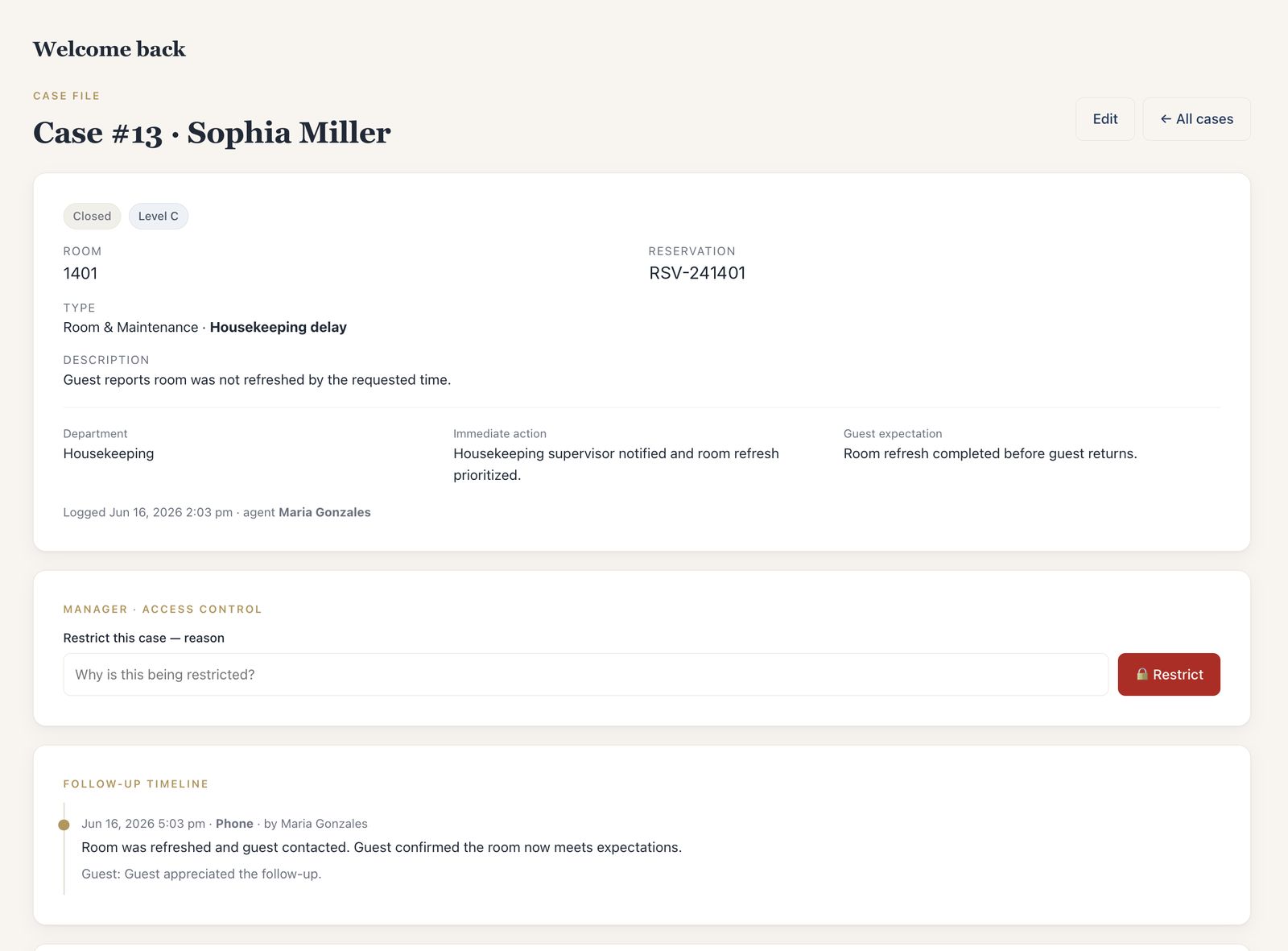
Each guest issue is saved as a case: one record with the details, the person responsible and the follow-up history. Access depends on each person’s role and the case’s restrictions.
- 01
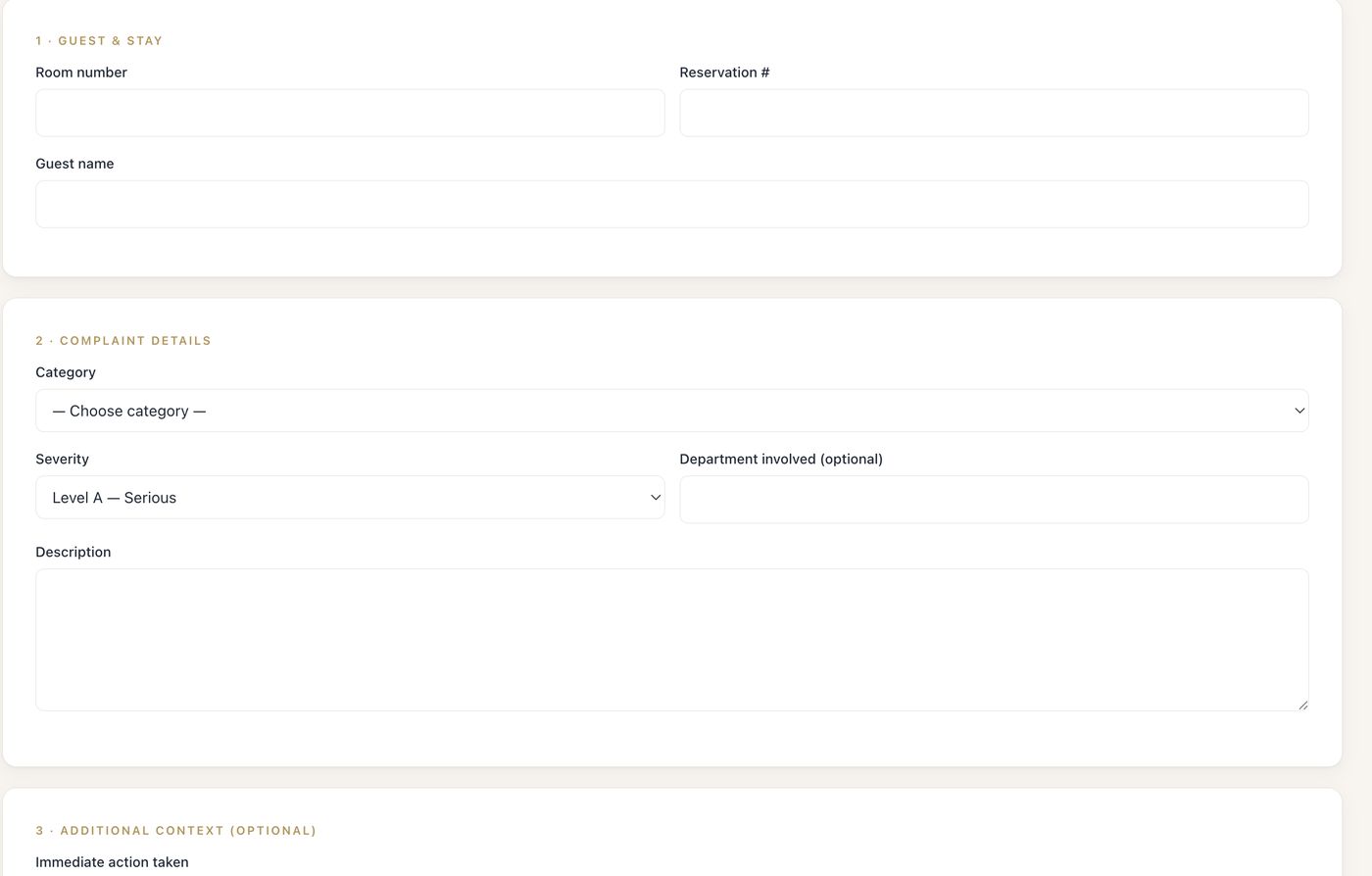
Guest & stay
Room, reservation and guest name, captured at the desk while the details are clear.
- 02
Issue & severity
Your own case types and categories, with Level A, B or C severity and the department involved.
- 03
What was already done
The immediate action taken and what the guest is expecting — so the next person has the context they need.
- 04
Access control
Managers can restrict a sensitive case, with a recorded reason; restricted cases stay out of the desk’s view.
- 05
Follow-up timeline
Each contact with the guest: when, how, what was said, and how the guest responded.
- 06
Compensation & history
What was offered, who approved it, and every status change kept on the record.
From the first report to manager review.
Log the issue, assign the next action, record guest updates and review the outcome. The case keeps the history as your team works.
| Stage | Who acts | What the record holds afterwards |
|---|---|---|
| Logged | Front desk, any shift | Room, reservation, guest, case type and severity, description, immediate action, guest expectation — and who logged it. |
| Assigned | Desk, supervisor or manager | Responsible team and person, the next action, and an email to the person who now owns it. |
| Followed up | The owner | When the guest will next hear from you, and a target for the internal work — both in the hotel’s own time, with reminders when they slip. |
| Resolved | Owner, with manager approval | Compensation type, value, reason and whether the guest accepted; staff recommendations wait for a manager. |
| Reviewed | Manager | Closing summary, final resolution and whether the guest was satisfied — or the case reopened, with a reason. |
| On file | Anyone who can see the case | A printable Incident Report with the full chronology, signature lines and a Guest’s Version page. |
See what needs your attention this morning.
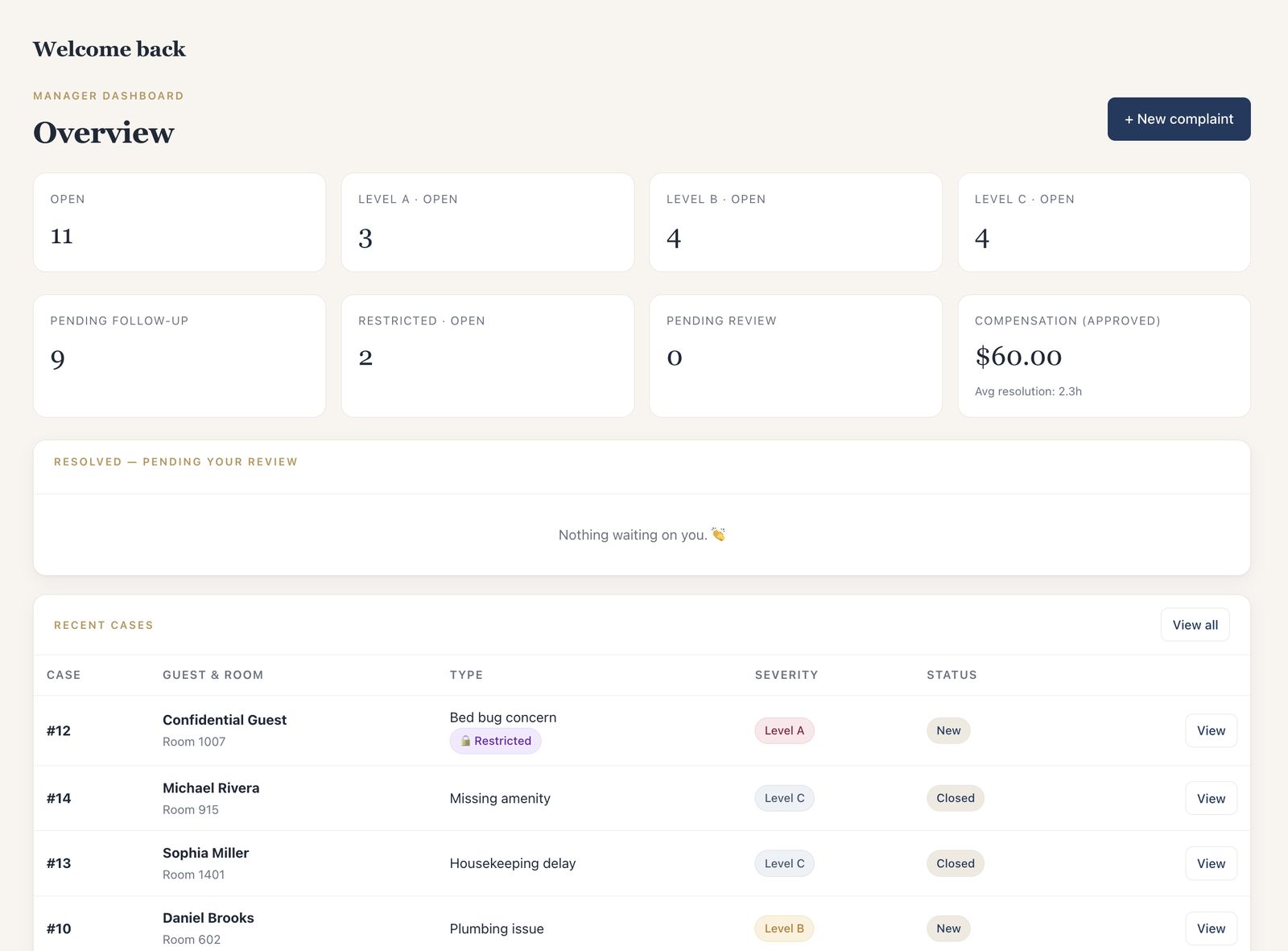
Review overdue updates, unassigned cases, compensation requests and cases waiting to be closed.
- 07:00
Daily summary by email
New cases by severity, open Level A and B, overdue guest updates and internal targets, cases still waiting on a first follow-up, and compensation approved that day.
- 07:05
What needs attention
Escalated, overdue, unassigned and unclassified cases — in one view.
- 07:10
Compensation to approve
What staff proposed to give, with the reason on the record.
- 07:15
What keeps repeating
Top case types and repeat rooms over the last 30 days.

A shift ends. The case doesn’t.
The next shift can see what is open, who is responsible and when the guest is due an update.
- Continuity
Open cases carry over
With owner, next action and promised update attached.
- Escalation
Anyone can raise it
Any role can escalate an open case to management, with a reason.
- Reminders
Overdue updates stay visible
Overdue guest updates are flagged, and reminder emails go out.
- Attribution
Shared desk accounts
The team member is recorded on every case and follow-up.
Keep sensitive cases with the people handling them.
Guest injuries, medical incidents, theft allegations, harassment, privacy matters — case types like these can be restricted automatically, and a manager can restrict any case with a recorded reason.
- At the desk
A neutral confirmation
The team member who logs a restricted case sees that it was routed to management — not the case itself.
- In email
Confidential by default
Notifications about restricted cases leave guest details out.
- On the record
Restrictions and report prints are logged
Managers see restricted cases; supervisors only with permission. Restrictions and report prints are recorded in the audit log.

Create an Incident Report from the case.
Open a print-ready report using the details and updates your team has recorded. Print it or save it as a PDF from your browser.
- 01Incident identification
- 02Room, guest & reservation
- 03Type, severity & owner
- 04Description & immediate action
- 05Case plan & commitments
- 06Follow-ups & guest contact
- 07Compensation & approvals
- 08Resolution & closure
- 09Activity & status history
- 10Prepared-by & manager signatures
Guest’s Version of the Incident. A separate page for the guest’s own written account, signature and date — or the statement your team recorded with them.


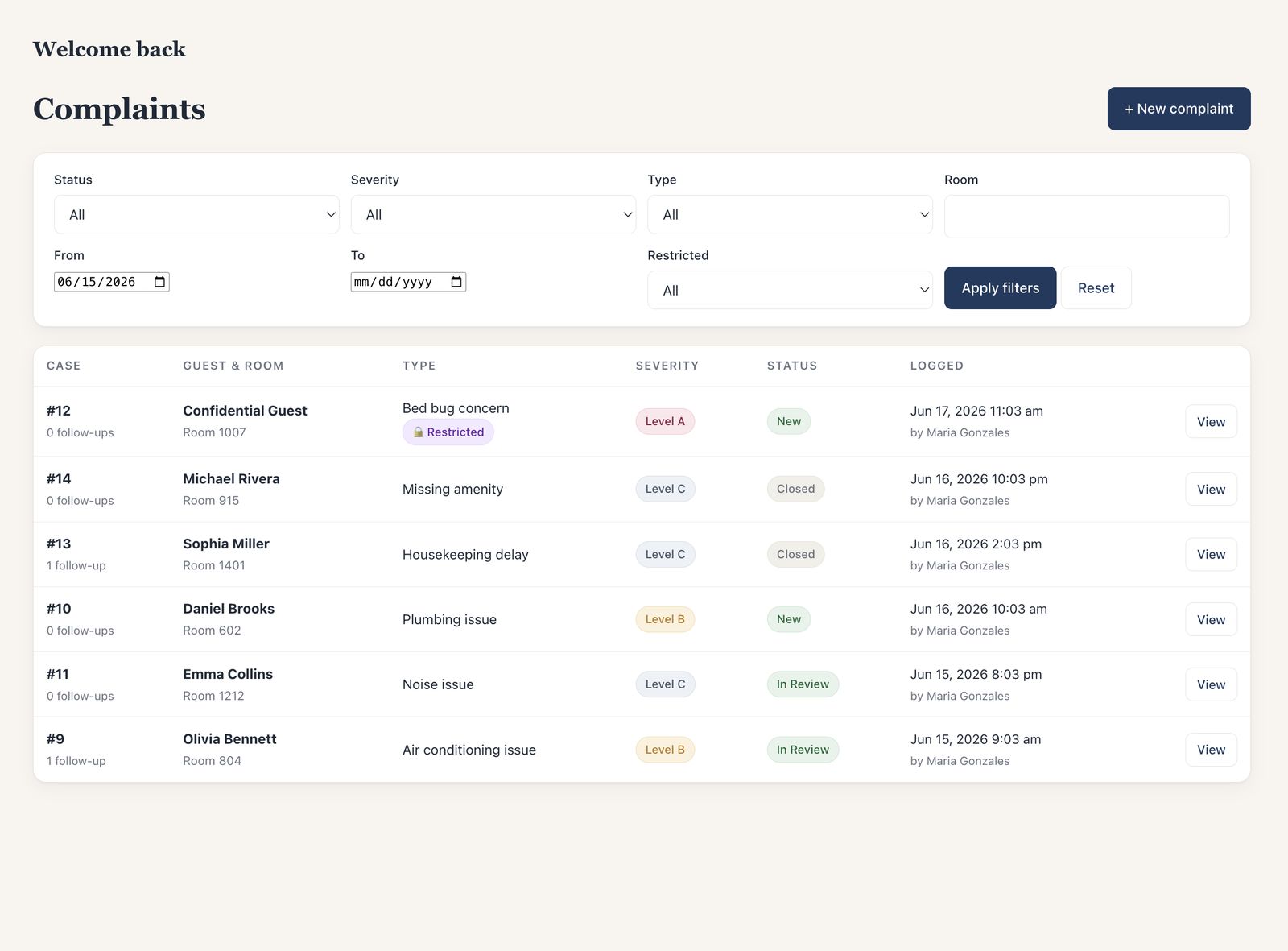
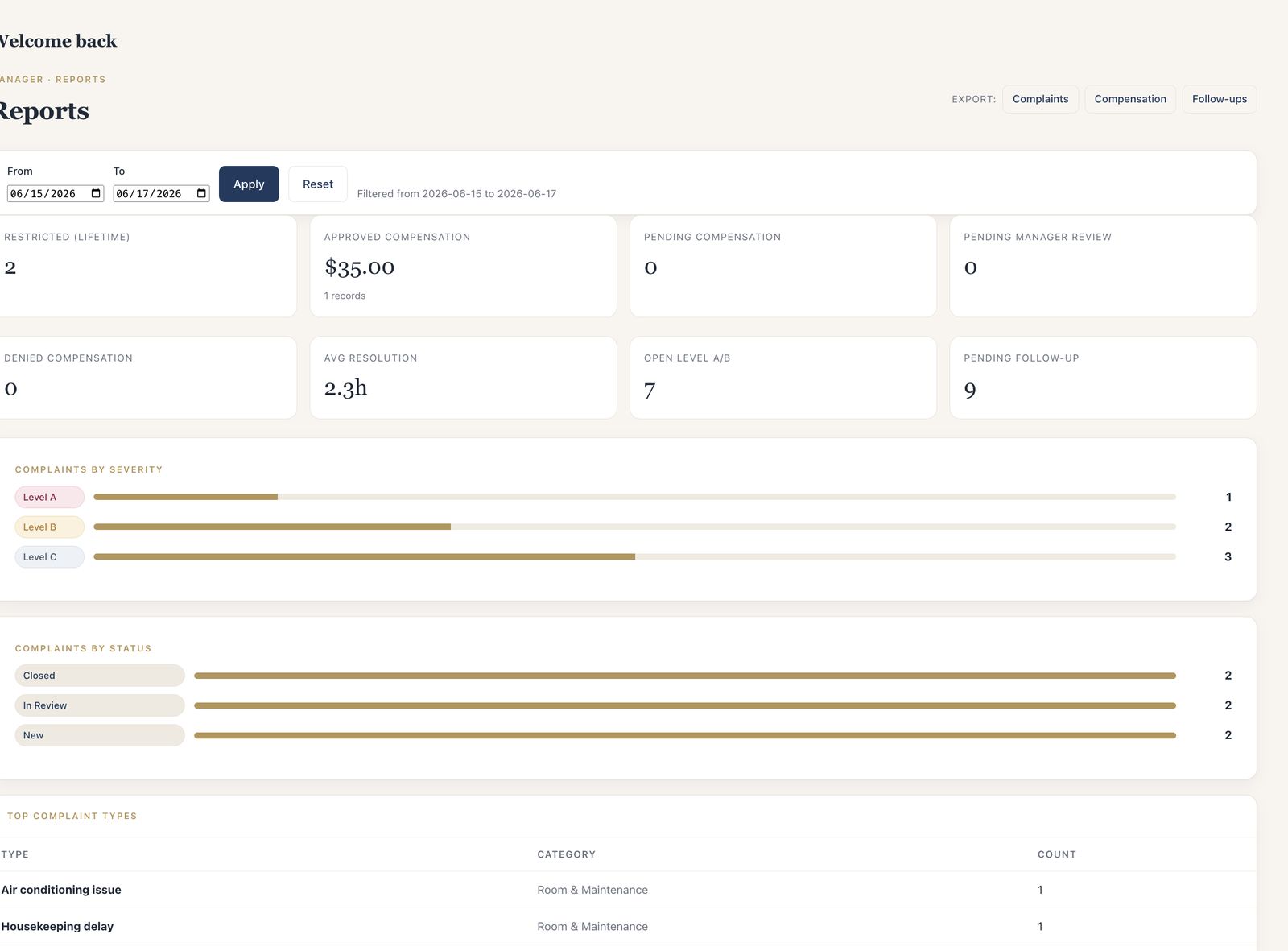
See which rooms and issues keep coming up.
Review common case types, rooms with repeated issues and recorded compensation. Use the reports to decide what needs a closer look.
- By date range
Cases by severity & status
With average resolution time and how long cases have been open.
- Recovery
Compensation approved, pending, denied
Totals, with the reason on every record.
- Repeats
Top case types & repeat rooms
The last 30 days, at a glance.
- Elsewhere
CSV exports
Cases, compensation, follow-ups and the audit log.
See MyHotelCare in 85 seconds.
Overview, intake, case list, restricted cases, follow-up and reporting — recorded in the real application with sample data.
Get started with one property.
We configure MyHotelCare with your team, then support a 60-day pilot using your hotel’s own cases. Your proposal sets out the pilot fee and what happens if you continue.
- Pricing
$299/month for the first property
Unlimited staff users; $259 for each additional property. Early-rollout pilot terms are confirmed in each proposal. See pricing
- Setup
Your departments and case types
Departments, case types, severity defaults and compensation types, from a standard hotel template.
- Adoption
Built for a busy desk
A practical case form, shared front-desk accounts and access based on each person’s role.
- Evaluation
Review the experience
At day 60, review what the system recorded: overdue updates, resolution times, compensation and repeat issues.
See how it would work at your hotel.
A demo takes about 30 minutes: one case from the front desk to the Incident Report, using sample data — you don’t need to share any guest information.